In this chapter we show snapshots of the output during the execution of each of the BF programs listed in Appendix BF Test Suite. Each of these programs was able to run successfully at the maximum clock speed of around 250 kHz ( bytes of memory were initialized to 0). For each program, the following statistics have been collected in a modified version of the interpreter shown in Listing 1:
Program Size - the number of BF commands in the program, i.e. the number of bytes in the
.bffile, not counting non-BF characters.Stack Size Required - size of the stack required to run the program, i.e. the maximum nesting depth encountered while executing loops.
Memory Cells Required - the minimum number of memory cells required to execute the program. In our case, this corresponds to the minimal amount of cells that needs to be zero-initialized at startup in order for the program to execute correctly.
Runtime Instructions - the number of BF instructions that are executed when the program is run. Due to the existence of loops, this number differs (for most programs) from the program size.
Runtime Clock Cycles - the number of clock cycles that elapsed over the course of execution.
Cycles per Instruction - the average number of clock cycles needed to execute a single BF instruction. This value changes from program to program and depends on the structure of the program, the number of skipped loops, commonality of command sequences that leverage the A and V flags, etc. These values have been measured in the interpreter and have been (roughly) verified on the physical hardware.
Stability
Throughout development, the system was plagued by instabilities. At first, these could be traced back to bugs in the microcode, subtle architectural issues or even wrong connections that only sometimes caused problems. Then, the clock speed and overall stability were highly influenced by bad IO design. The IO module was connected to the system clock and expected to run its interrupt routine (ISR) within the time between two ticks; this left the module unresponsive at high clock speeds (there was almost no time between calls to the ISR to manage other functionality like polling the keyboard) and would sometimes cause bus contention if it could not reset its outputs in time. With a proper handshake implemented using the K-flag and a completely asynchronous setup where the IO module only polls its input at a very low frequency, leaving the rest of the microcontroller’s capacity for handling the user interface, all these problems went away. New clock speeds were achieved to the point that it became stable up to the limits of the clock module itself. It has not been pushed any further at the time of writing, though that may very well be possible.
Test Suite
hello.bf
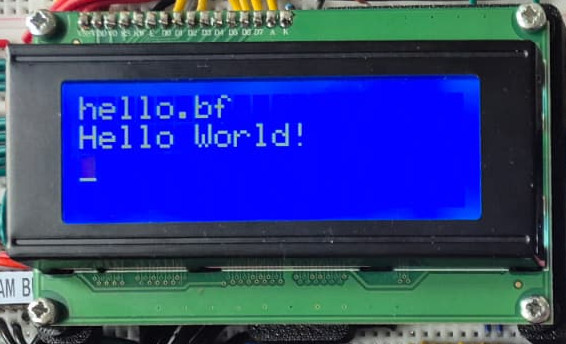
It should be obvious why Hello World is the first program to test. The output is simply the string “Hello World!” followed by a newline. This program performed as expected on any selected clock frequency within the supported range (and maybe even beyond). This program was taken straight from the Wikipedia page on Brainfuck [8].
| Program Size | 112 |
| Stack Size Required | 1 |
| Memory Cells Required | 4 |
| Runtime Instructions | 390 |
| Runtime Clock Cycles | 1273 |
| Cycles per Instruction | 3.3 |
euler.bf
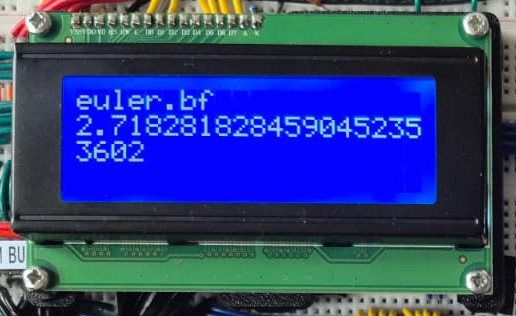
The Euler number () is an irrational number, so calculating its digits is an infinite process; the euler.bf program (written by the notorious BF developer Daniel Cristofani [13]) never ends. Running this program for a long time exposes a weakness of the system; sometimes the system gets into some erroneous state and goes haywire. It is still not fully understood what causes this to happen; based on qualitative observations, it seems as if the probability of failure increases with time and persists afterwards even after a reset. Shorting the power rails (after power has been disconnected) seems to stabilize the system again, so maybe the instability stems from charge buildup due to bad connections to power. Such bad connections have been found throughout the build process, so there may still be subtle bad connections present around the board.
Since this program runs indefinitely, there is no bound to the number of runtime instructions. The number of memory cells required also keeps growing with time; it was found to grow proportionally to the square root of the number of BF instructions that had been executed up to that point according to . A quick back-of-the-envelope calculation shows that for our case, with 65,280 data cells available (the first 256 addresses are reserved for the stack), we’d be able to execute BF instructions, which would take cycles to complete (using the measured value of 3.4 cycles per instruction), or seconds at 250 kHz (over 124 hours). It’s probably safe to assume that those limits won’t be reached any time soon.
| Program Size | 1424 |
| Stack Size Required | 11 |
| Memory Cells Required | |
| Runtime Instructions | |
| Runtime Clock Cycles | |
| Cycles per Instruction | 3.4 |
phi.bf
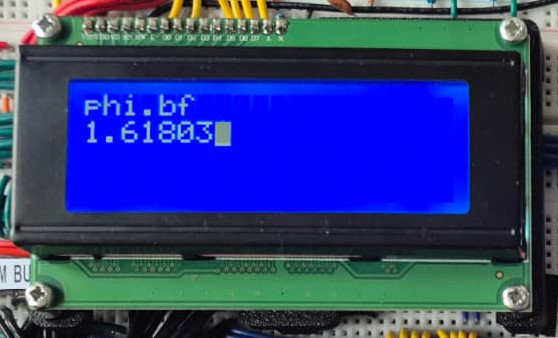
Like , the Golden Ratio is irrational and thus has infinitely many digits. The phi.bf program [12] runs indefinitely and has growing memory demands when it runs for a longer amount of time. Again, the number of memory cells required grows as the square root of the number of BF commands executed according to . This number grows even more slowly than that required to calculate Euler’s number, so there won’t be any memory issues here either.
| Program Size | 1950 |
| Stack Size Required | 17 |
| Memory Cells Required | |
| Runtime Instructions | |
| Runtime Clock Cycles | |
| Cycles per Instruction | 3.6 |
factorial.bf
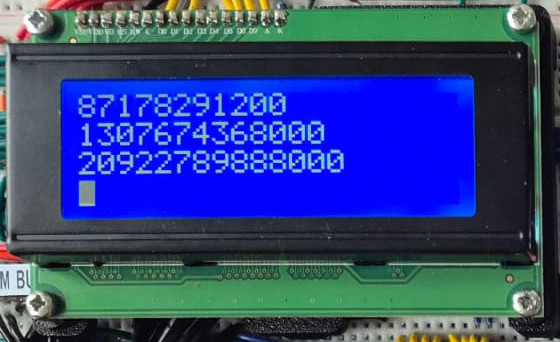
Another program that runs indefinitely is factorial.bf; it calculates for ever increasing ad infinitum. Unfortunately, this program was found and downloaded long before this report ever needed to mention it; we were unable to trace and credit its source at the time of writing. The memory requirement grows according to a cube root, so this program can run for an even longer time compared to phi.bf and indeed euler.bf before memory runs out (provided it runs without issue): .
| Program Size | 964 |
| Stack Size Required | 15 |
| Memory Cells Required | |
| Runtime Instructions | |
| Runtime Clock Cycles | |
| Cycles per Instruction | 3.6 |
primes.bf
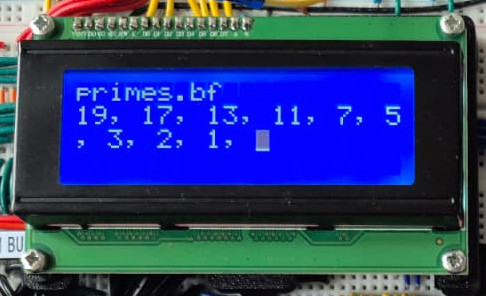
Found on Reddit by the user Troemax [14], this program checks primality for all numbers (this value can be adjusted by changing the number of + commands at the very start of the program). It runs stable at all tested clock speeds up to 250 kHz. The algorithm reuses memory very efficiently during the course of its execution, requiring only 18 cells.
| Program Size | 790 |
| Stack Size Required | 7 |
| Memory Cells Required | 18 |
| Runtime Instructions | 3.6M |
| Runtime Clock Cycles | 12M |
| Cycles per Instruction | 3.3 |
primes2.bf
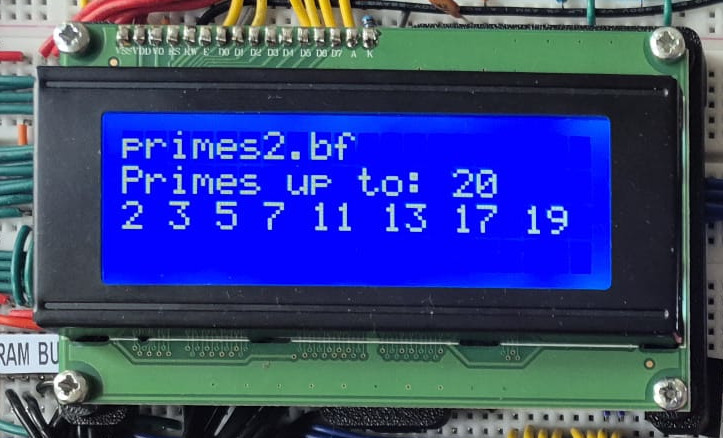
Like the former prime-generating program, this program calculates all primes below 20. The difference between primes.bf and primes2.bf is that the latter asks for the upper bound at runtime (expecting keyboard input). The program was posted on the Code Golf section of Stack Exchange by user Alexandru, challenging other users to implement small interpreters that can successfully run it.
| Program Size | 3880 |
| Stack Size Required | 6 |
| Memory Cells Required | 10 |
| Runtime Instructions | 5K |
| Runtime Clock Cycles | 1.8M |
| Cycles per Instruction | 3.5 |
tictactoe.bf
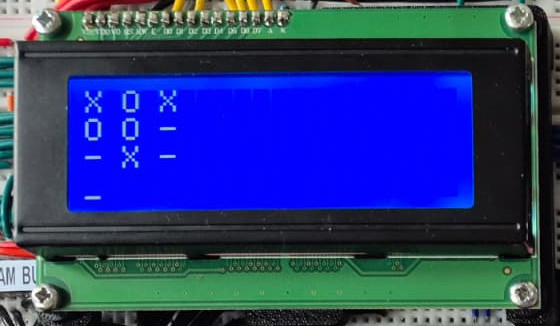
Found on GitHub [16], from a developer by the username Mixtela [16], we found a BF program that actually implements a game of Tic Tac Toe, including a very capable ‘AI’ opponent. The statistics in Table 11 have been gathered by playing a single game (which ended in a draw).
| Program Size | 6880 |
| Stack Size Required | 12 |
| Memory Cells Required | 72 |
| Runtime Instructions | 224K |
| Runtime Clock Cycles | 774K |
| Cycles per Instruction | 3.5 |